
How to Claim & Bridge Your $KVAI Tokens from Base to Solana Using dePort by deBridge
Feb 9 | 5 Minutes MIN | Kvants, AI, DeFi, TGE, Token Launch

By
Kvants Team


Overview
Once you've claimed your $KVAI tokens through the vesting portal on Base, you'll need to bridge them to Solana where the token is actively traded. This guide walks you through the process using deBridge's dePort function, a straightforward cross-chain transfer that gets your tokens where they need to be.
Before You Begin
Make sure you have:
- Login to Vesting Portal: https://vesting.kvants.ai/
- $KVAI tokens claimed and in your Base wallet
- A small amount of ETH on Base for gas fees (typically $0.50–$2.00)
- A Solana wallet (Phantom, Solflare, or Backpack recommended)
- A small amount of SOL in your Solana wallet to receive tokens and cover future transaction fees
How To Claim KVAI:
1) Login to vesting portal: Visit https://vesting.kvants.ai
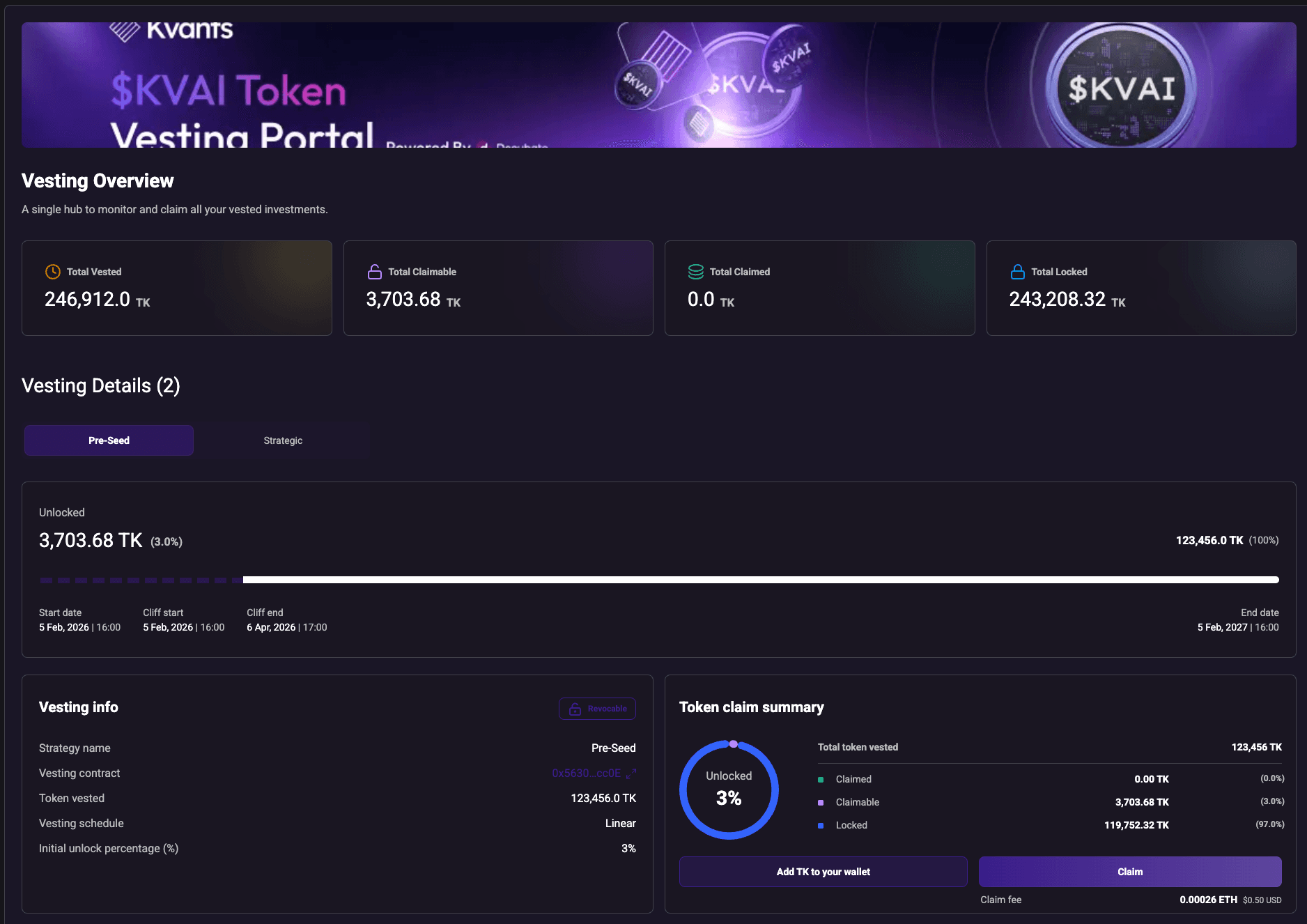
2. Claim Your Allocation. Make sure you click on "Add KVAI To Wallet" and then claim your tokens,
3. DePort from Base to Solana
Step-by-Step: Using deBridge dePort
Step 1: Access dePort on deBridge
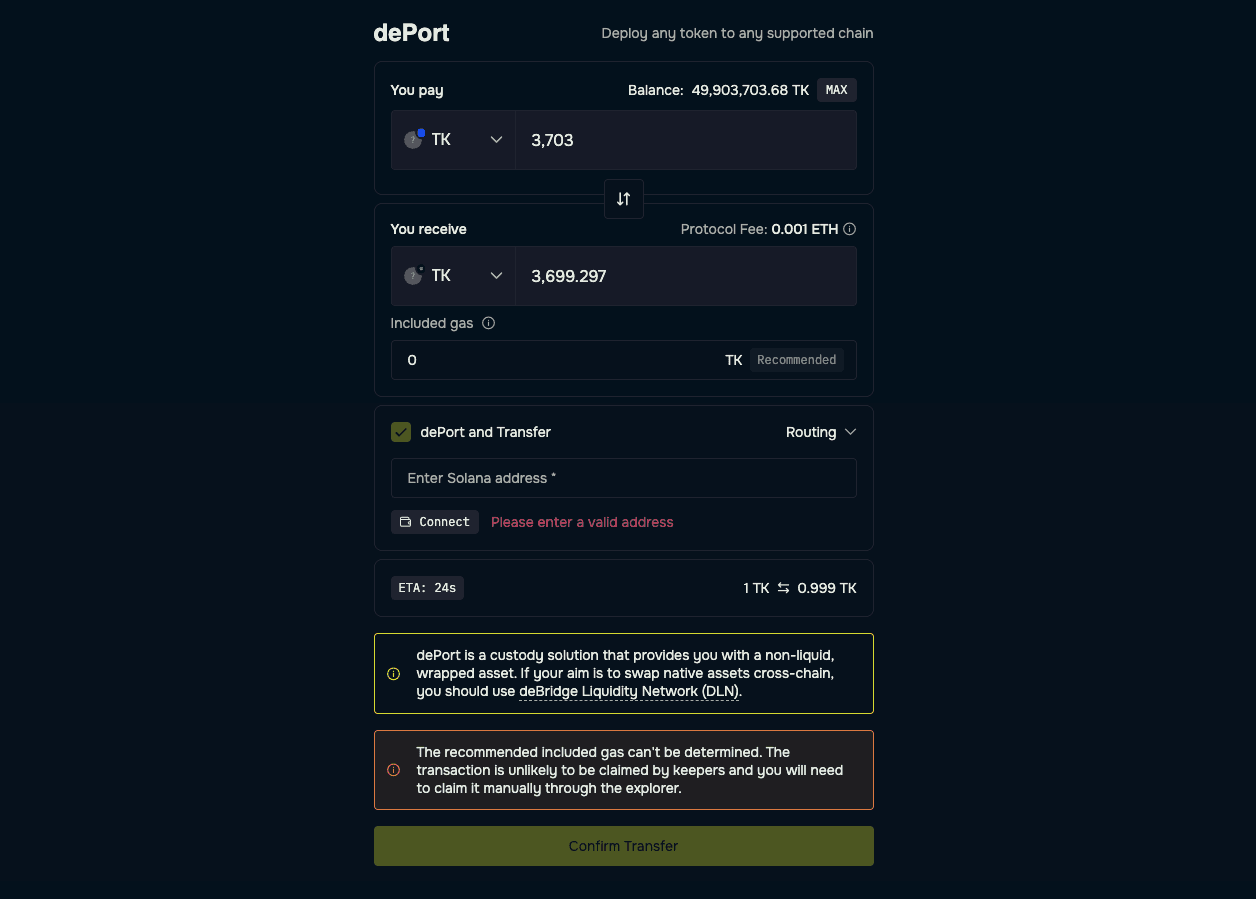
Navigate to https://app.debridge.com/deport and connect your Base wallet (the one holding your claimed $KVAI tokens).
Step 2: Configure Your Bridge
- Source Chain: Select Base
- Destination Chain: Select Solana
- Token: Select $KVAI (or paste the Base contract address if it doesn't appear automatically)
Amount: Enter how many $KVAI tokens you want to bridge
Step 3: Enter Your Solana Destination
Paste your Solana wallet address in the destination field. Double-check this address—cross-chain transfers are irreversible, and sending to an incorrect address means permanent loss of funds.
Step 4: Review the Transaction
deBridge will display:
- The amount of $KVAI you're sending
- Estimated bridge fees
- Expected arrival time (typically 1–5 minutes)
The amount you'll receive on Solana
Step 5: Approve and Execute
- Click Approve to allow deBridge to access your $KVAI tokens (first-time only)
- Confirm the approval transaction in your wallet
- Click Bridge or dePort to initiate the transfer
- Confirm the bridge transaction in your wallet
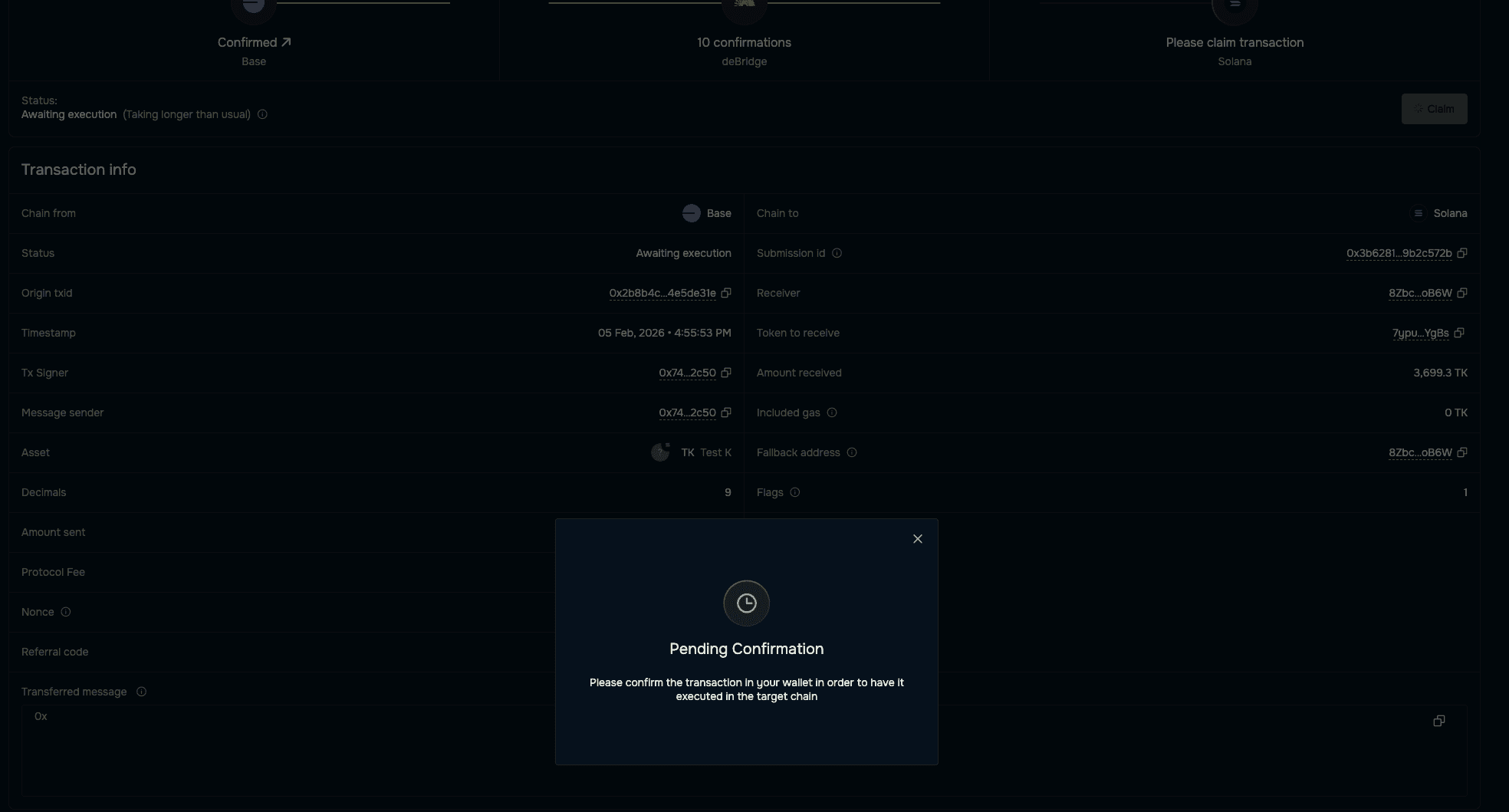
Step 6: Wait for Confirmation
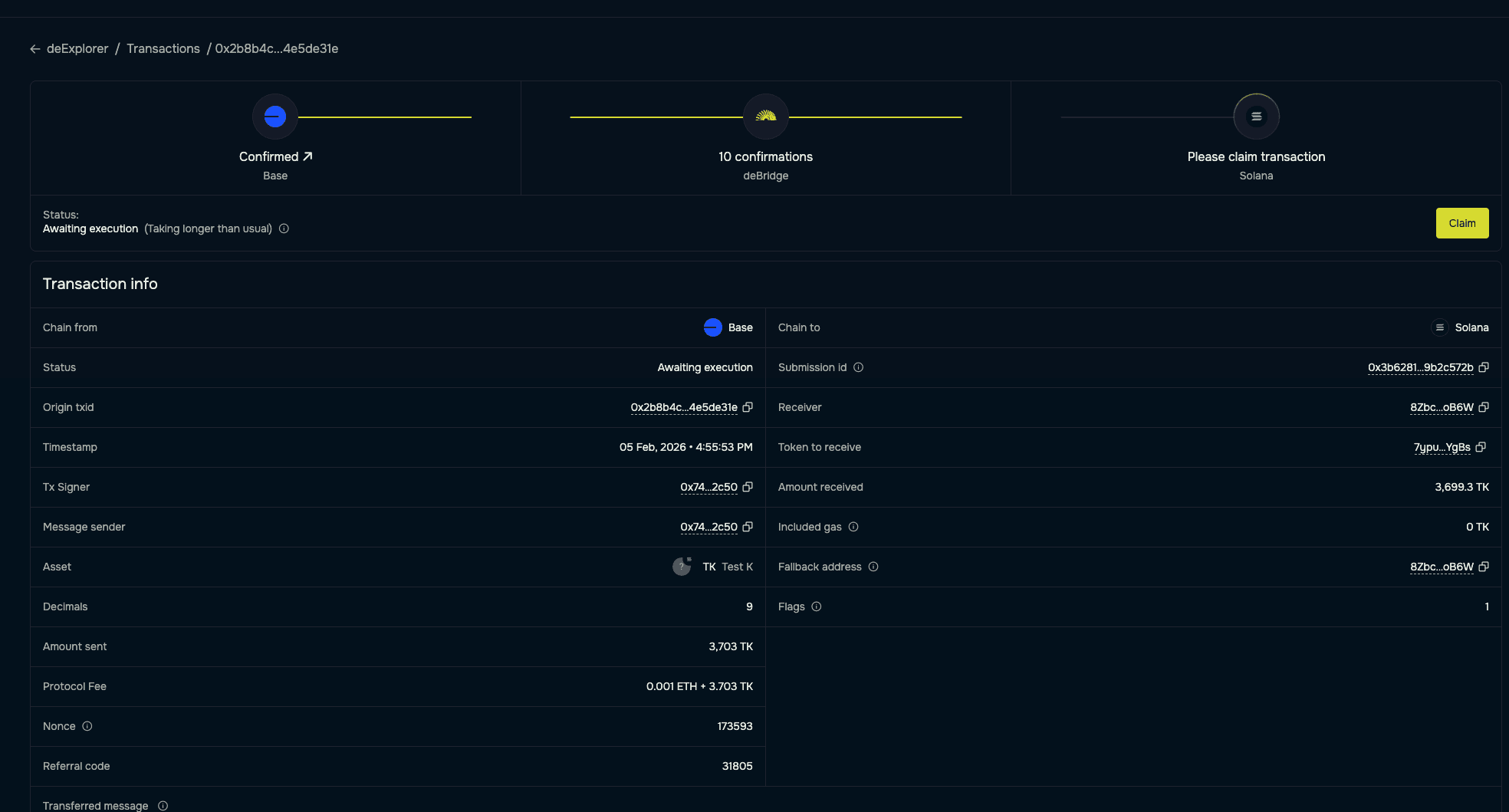
The bridge typically completes within a few minutes. You can track progress directly on deBridge or check your Solana wallet for the incoming tokens.
Troubleshooting
Tokens not appearing in Solana wallet? Some wallets require you to manually add the $KVAI token. Import it using the Solana contract address (available on our official channels).
Transaction stuck or pending? Cross-chain bridges occasionally experience delays during high network activity. Check deBridge's transaction tracker for status updates before attempting another transfer.
Insufficient gas? Ensure you have enough ETH on Base. If your transaction fails due to gas, you'll need to add more ETH and retry.Other issues? Feel free to reach out to the DeBridge support team, they will be happy to assist you.
Why Solana?
$KVAI trades on Solana to take advantage of the network's speed, low transaction costs, and vibrant DeFi ecosystem. Once your tokens arrive, you'll have access to trading pairs and liquidity across Solana's DEX infrastructure.
Need Help?
Join our community channels for support:
Our team and community members are available to help if you encounter any issues during the bridging process.

Read more